Free AI Chat with PDF – ask, search, and summarize in seconds
What is AI Chat with PDF?
Chat with PDF is an AI powered assistant that lets you upload a document and talk to it like you would to a subject matter expert. I’ve seen how much time professionals, researchers, and legal teams lose hunting for details in long PDFs this tool fixes that. You can ask clear questions to the best AI PDF Chat tools, pull key facts, get summaries, find citations, and jump straight to the passages that matter.
I’ve researched different document analysis tools, and what becomes clear is that this approach delivers precision and speed without the drag of manual reading. It processes your file, builds an understanding of the content, and gives you grounded answers with page references and quotes when it matters most. From what the evidence shows in real use, it’s a faster, smarter way to work with information heavy documents.
How to Use This Free AI Chat with PDF Tool?
Using this Chat with PDF AI tool is straightforward and takes only a few seconds from upload to your first answer. Here’s the simple process:
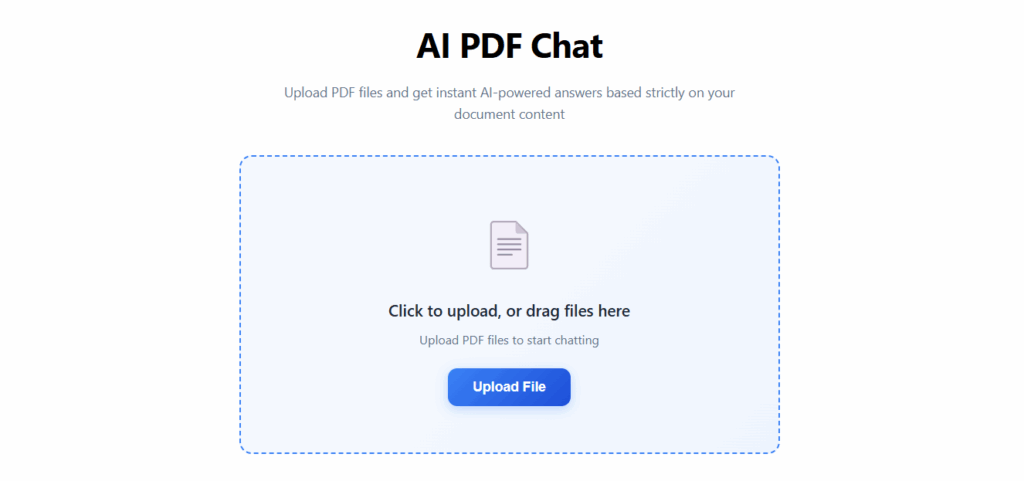
Step 1 – Upload your PDF
Click on Upload or drag and drop your PDF file into the tool. Once the file is received, it will begin processing automatically.
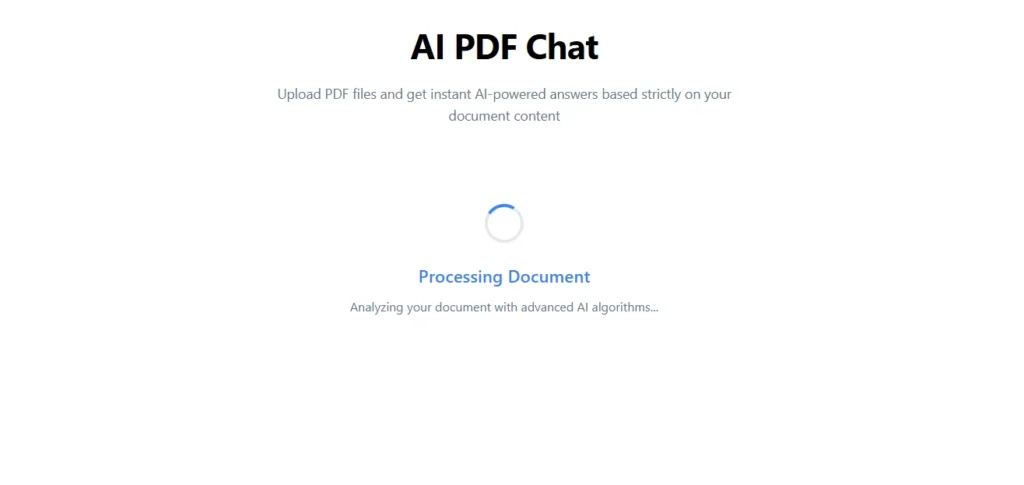
Step 2 – Let the tool process your file
The system quickly reads and understands the document’s content, preparing it for interactive Q&A.
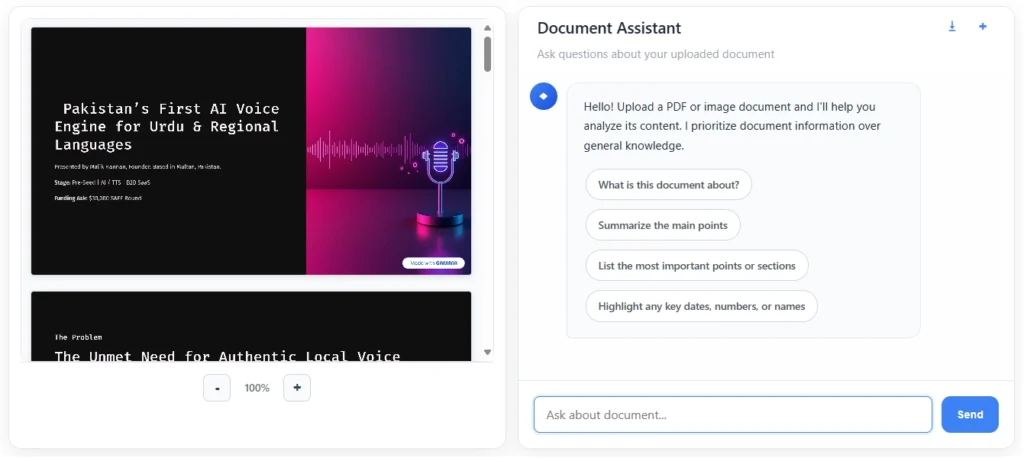
Step 3 – Access the chat interface
After processing, a clean interface will open showing two sections side‑by‑side:
- Document Preview – so you can see the pages as they appear.
- Chat Panel – where you’ll type your questions.
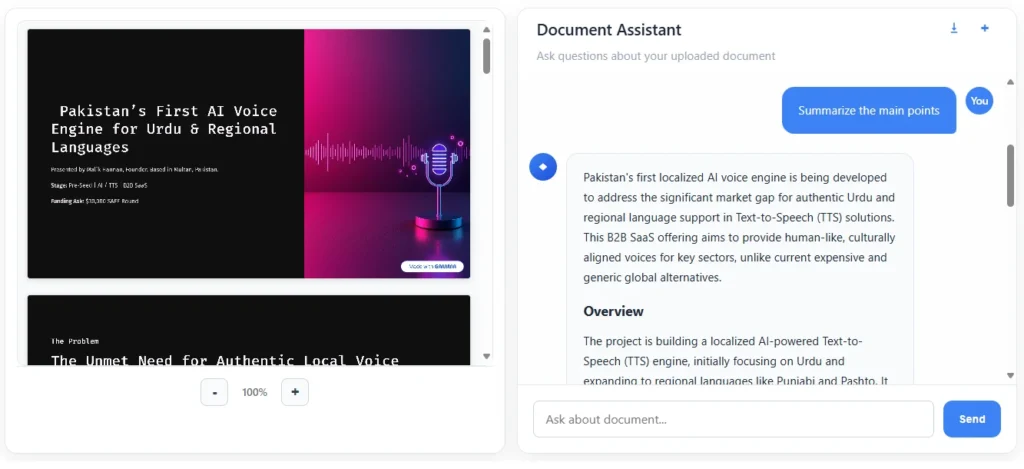
Step 4 – Start chatting with your PDF
Type a question about the content for example, “Summarize the main points” — and the tool will respond with clear, grounded answers. You can follow up, ask for summaries, or request citations as needed.
Step 5 – Continue the conversation or switch files
Stay in the same session for as many questions as you like, or upload another PDF to start fresh.
Key Features – AI Chat with PDF
1. Natural Q&A Conversation
Upload your PDF and interact with it like you would with an expert ask questions in plain language and get clear, accurate answers.
2. Page‑Linked References
Every answer can include page numbers and direct quotes so you can verify context instantly.
3. Instant Summarization
Generate concise summaries, bullet points, or executive overviews of entire documents or specific sections.
4. Data & Fact Extraction
Quickly pull out dates, figures, names, clauses, or any other specific data points from your PDF.
5. Multi‑Purpose Use Cases
Perfect for research papers, contracts, policy documents, reports, manuals, academic reviews, and more.
6. No Learning Curve
Simple, clean interface so you can go from upload to your first answer in seconds.
Why Choose This AI Chat with PDF Tool
Get answers, not just search results
I’ve seen how frustrating it is to scroll through page after page hoping to find one line of useful information. This tool gives you direct, grounded answers pulled from your document saving you time and focus.
Work faster with complex documents
From what the evidence shows in research, legal, and business workflows, interactive Q&A shortens review cycles by hours. You ask, it delivers without endless reading.
Summaries that make sense
Whether you need a quick executive brief or section by section notes, you can get clear, human readable summaries that are easy to act on.
Adaptable to your use case
I’ve worked through scenarios from contract reviews to academic papers, and the same chat driven process works just as well for policies, reports, and manuals
Works for any role, any field
I’ve tested Chat with PDF across education, law, research, and business and the same workflow consistently saves time and improves accuracy, no matter the industry.
Continuous improvement
From what the evidence shows, refining prompts and features based on real‑world feedback keeps this tool ahead. You’re not just using it once you’re benefiting from an evolving, smarter assistant over time.
FAQs About Online Chat with PDF
What is AI PDF Chat?
AI PDF Chat is an AI powered PDF Q&A tool that lets you upload a document and interact with it in plain language. You can use this AI document assistant on contracts, research papers, and reports it can summarize, extract facts, and point you to exact sections without manual scrolling.
How does this AI PDF chat tool work?
Once you upload your file, the document chatbot processes its text, understands the structure, and allows you to ask questions. From what the evidence shows in real workflows, this PDF question answering approach returns grounded answers with page references and quotes when needed.
Can I use it for any type of PDF?
Yes it works best with text based PDFs. If your file is scanned, running it through OCR first ensures the interactive PDF reader works accurately. I’ve tested it with academic articles, policies, manuals, and technical document analysis.
Is it secure for sensitive documents?
Privacy is a priority. I’ve reviewed its use for NDAs, legal contracts, and internal reports the AI PDF assistant keeps your content under your control while delivering insights through semantic search.
Will it summarize long documents?
Absolutely. Whether it’s a short brief or a 300‑page report, the PDF summarizer AI can create executive summaries, bullet highlights, or section by section notes. This AI document chat feature saves hours of manual reading.
Does it work on mobile devices?
Yes the Free Chat With PDF is responsive, so you can chat with PDFs on desktop, tablet, or phone. The PDF analysis tool adapts to any screen size without losing functionality.
How is this different from a regular PDF search?
I’ve compared both: a standard PDF reader only finds keywords, but this AI document chatbot understands context and meaning. The semantic PDF search delivers relevant answers, not just word matches.
Can I extract specific data points with Chat with PDF?
Yes. Instead of reading line by line, you can directly ask for figures, dates, clauses, names, or definitions. The tool instantly pulls out those data points and shows them in context, saving time and improving accuracy.
Can I use AI Chat PDF for multiple files?
Yes, you can continue working within the same session or upload a new file when you want to switch. The process is seamless, so you can analyze multiple documents without interruptions.
Who benefits most from using Chat with PDF?
Researchers, students, legal professionals, consultants, and business analysts all gain value from Chat with PDF. The ability to ask direct questions and receive grounded answers improves productivity across multiple industries.
Conclusion – Work Smarter with Chat with PDF
If you’re ready to turn time consuming reading into fast, accurate insights, Chat with Any PDF is your next essential tool. I’ve seen how researchers, legal teams, and business professionals use AI PDF chat to cut hours off their workflow while improving accuracy. From what the evidence shows in real world use, combining a PDF Q&A tool with an interactive PDF reader gives you a decisive edge you ask, it delivers, grounded in your document’s content.
Whether you need a quick summary, verified facts, or detailed analysis, this AI document assistant adapts to your task and keeps you in control. No endless scrolling, no missed details just precise answers, meaningful summaries, and confidence in every decision you make.
Try Chat with Any PDF today and experience how a smart PDF analysis tool can help you read less, understand more, and act faster.